
A work breakdown that comes from the plan
A large project is only manageable once it is broken down. In Projektiassistent the AI usually creates the initial tasks when drafting the project plan; you can add to them, split them into subtasks and give each one an owner, a priority, dates and effort.
A task is more than a line on a list
Every task carries its context: who owns it, when it starts and ends, what has to be finished first, and how many hours it is expected to take.
Subtasks
Add subtasks under any task, each with its own owner, and mark them done separately — big work splits into trackable pieces.
Priorities
Four levels: Low, Medium, High, Critical. Important work stands out from the list immediately.
Owners and deadlines
Every task gets an owner (the project owner or a user it is shared with) and start and end dates. Clear division of work without a separate spreadsheet.
Planned vs actual effort
Planned and actual effort in hours side by side. The critical path and baseline comparison run on them — and, on the Business plan, resource planning too.
Tasks do not live in a separate file
The same work appears in the task list, on the Kanban board and in the Gantt schedule. Change it in one place and the others show the same.
- Comments on the task
Comments are visible to everyone the project is shared with. Discussion stays in context instead of an email thread.
- Milestones
Mark a task as a milestone. In Planning control a milestone can be tied to a task and sent for approval.
- Buffer and dependency
A buffer in days and a dependency on a preceding task make the schedule realistic rather than optimistic.
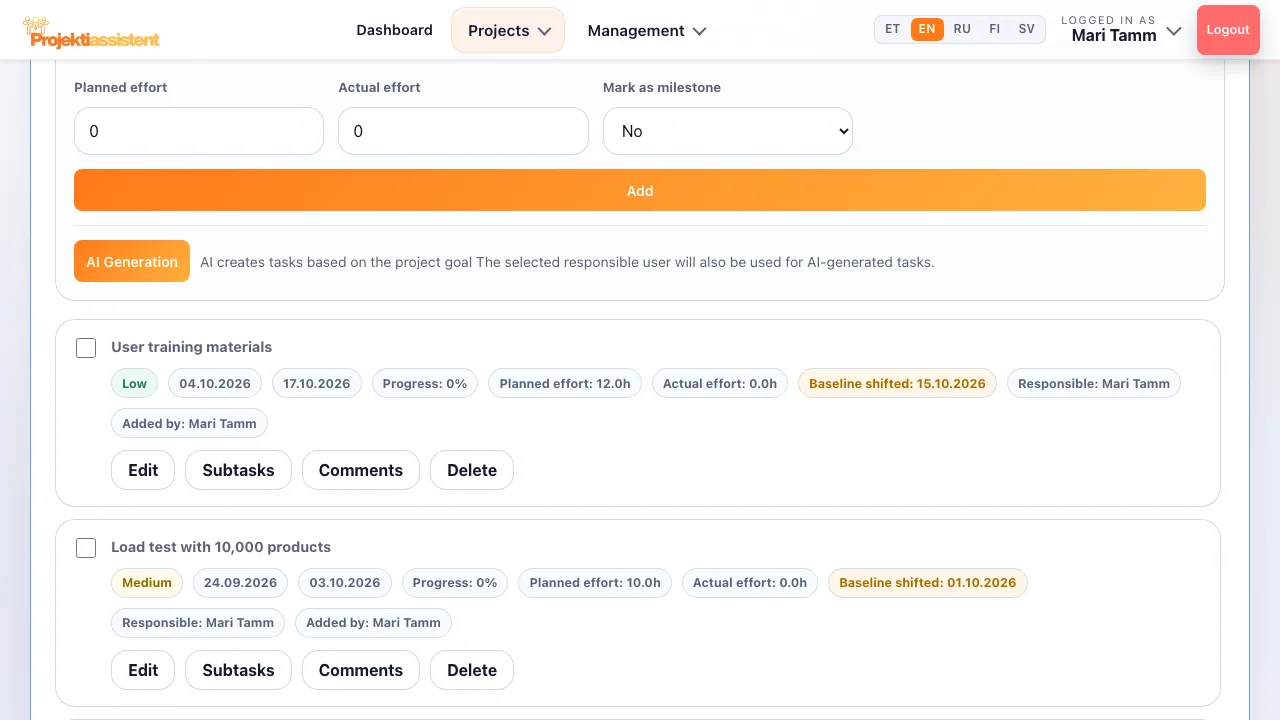
The same breakdown, in the view that suits you
A list, the Kanban board or the Gantt schedule — the choice of view does not change the work itself, only how you see it.
Frequently asked questions
What is a work breakdown structure (WBS)?
A WBS splits a project into hierarchical parts where each level refines the one above: project → phase → task → subtask. The goal is to reach a level where each piece of work can be estimated, assigned and tracked.
How many levels of tasks can there be?
Projektiassistent has tasks with subtasks underneath. The larger stages and the work breakdown are described in the project plan itself; in practice that is enough for most projects — a deeper hierarchy costs more time in administration than in the work.
Are tasks created automatically?
Yes. The AI usually creates the initial tasks when drafting the project plan, and the "AI Generation" button creates tasks from the project goal later on too — on every plan. You refine owners, dates and effort.
Do I have to enter effort estimates?
Not required, but worth it. Comparing planned with actual effort shows whether estimates are realistic, and the baseline comparison and resource planning run on them.
How do I do this in the app?
Step-by-step instructions with the button and field names are in the user guide.
What Projektiassistent does for you
Project plan generator
Describe the project in your own words — the AI drafts a structured plan.
→🛑Decision readiness
Decision log, baseline and milestone approvals — who, what and when.
→📊Gantt chart
Schedule, dependencies and critical path — built from your plan.
→🔀Kanban board
Task flow in columns — the same tasks as in the plan.
→🧭Methodologies
Waterfall, Scrum, Kanban, Hybrid, PRINCE2 or Simple project.
→👥Resource planning
Who is overloaded and who is free — before a deadline slips.
→⚠️Risk analysis
Risk register: impact × probability, risk score and mitigation plan.
→💶Project budget
Cost lines, VAT and free balance in real time — ready for reporting.
→📊Reporting
A status summary for management in seconds, the document as PDF/DOCX.
→🗂️Project portfolio
Every project on one screen — an aerial view, not a magnifying glass.
→🤝Team collaboration
Share the project by invitation — Viewer, Editor or Admin.
→🧠AI project manager
Plan, tasks and summary — recommendations, what-if and notes on Business.
→🔌Integrations
API tokens, webhooks, Slack, Teams and a calendar feed (Business).
→🔒Security and GDPR
Access control, encrypted transport and GDPR rights.
→