
An AI project manager — a partner, not a text generator
A general-purpose chatbot does not know your project's budget, deadlines or who owns what. Projektiassistent's AI works on the project page with your data: it drafts the plan and tasks, summarises the status and, on the Business plan, recommends, models delays and turns meeting notes into actions.
Work a real project manager would do for you
The AI does not replace the project manager. It takes over the part of the work that is repetitive, time-consuming, and comes back to bite you when skipped.
Plan and tasks
The project plan from the wizard's input, plus the "AI Generation" button for creating tasks from the project goal. On every plan.
Status summary
A short summary of the project's current status for leadership or the team at the press of a button. On every plan.
AI project manager summary and recommendations
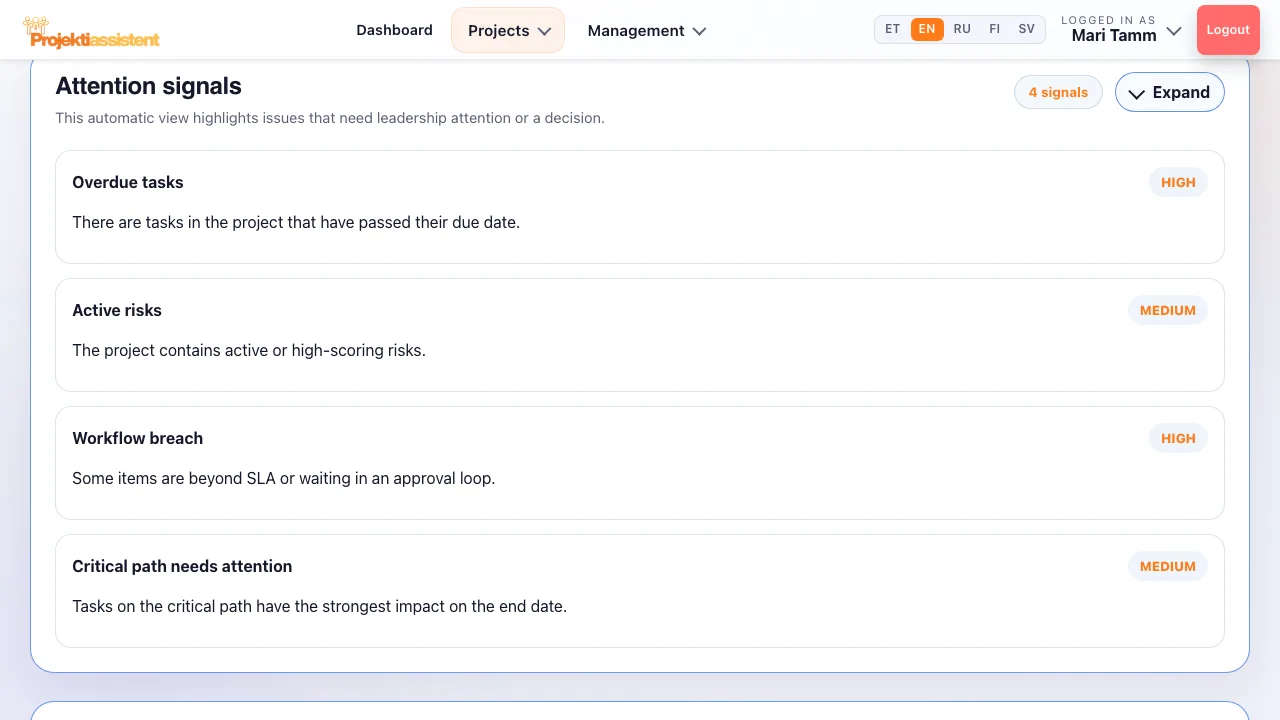
Combines project health, the critical path and simulations into a management view, and points out missing activities, signs of overload and risk areas. Business plan.
What-if simulation
Pick a task and a delay in days — see how the shift affects the project end. Results are saved in the simulation history. Business plan.
From notes to actions
Actions agreed in a meeting usually disappear into someone's notebook. On the Business plan you paste the notes into the project and the AI finds the actions, decisions and risks in them.
- Actions, decisions, risks
The AI identifies tasks, decisions and risks in free text — without you retyping them one by one.
- Straight into the project
Select "Create extracted actions, decisions, and risks directly in the project" and the items go into the right registers.
- You stay in control
Review the result before relying on it — the AI proposes, you decide.
Tuned to the project type and methodology
The project type and methodology decide which domain's rules and terms the AI uses. In forms, the "Improve goal with AI" and "AI suggestion" buttons help turn your draft into better wording.
Frequently asked questions
How is this different from ChatGPT?
A general-purpose model does not know your project data. Projektiassistent's AI works on the project page: it uses your goal, tasks, risks and schedule, and its output — the plan, tasks, items found in meeting notes — goes straight into the project, not into a chat window you then copy from by hand.
Which model is used?
AI requests run against Google's Gemini model. The project type and methodology steer which domain's rules and terms the model uses.
Does the AI make decisions for me?
No. The AI analyses, summarises and recommends — you decide. Read the suggestion and use it only if it fits.
How many AI queries does a plan include?
Each AI action uses one query: 20 in total on the trial, 100 a month on Standard and 500 a month on Business; the limit resets at the start of the month. The AI project manager summary, recommendations, what-if and meeting notes are on the Business plan; the AI funding application is on Standard (3 a month) and Business (unlimited).
How do I do this in the app?
Step-by-step instructions with the button and field names are in the user guide.
What Projektiassistent does for you
Project plan generator
Describe the project in your own words — the AI drafts a structured plan.
→🛑Decision readiness
Decision log, baseline and milestone approvals — who, what and when.
→🧩Tasks and work breakdown
Break the project down: tasks, subtasks, owners and effort.
→📊Gantt chart
Schedule, dependencies and critical path — built from your plan.
→🔀Kanban board
Task flow in columns — the same tasks as in the plan.
→🧭Methodologies
Waterfall, Scrum, Kanban, Hybrid, PRINCE2 or Simple project.
→👥Resource planning
Who is overloaded and who is free — before a deadline slips.
→⚠️Risk analysis
Risk register: impact × probability, risk score and mitigation plan.
→💶Project budget
Cost lines, VAT and free balance in real time — ready for reporting.
→📊Reporting
A status summary for management in seconds, the document as PDF/DOCX.
→🗂️Project portfolio
Every project on one screen — an aerial view, not a magnifying glass.
→🤝Team collaboration
Share the project by invitation — Viewer, Editor or Admin.
→🔌Integrations
API tokens, webhooks, Slack, Teams and a calendar feed (Business).
→🔒Security and GDPR
Access control, encrypted transport and GDPR rights.
→