
A status report that does not cost you a Friday
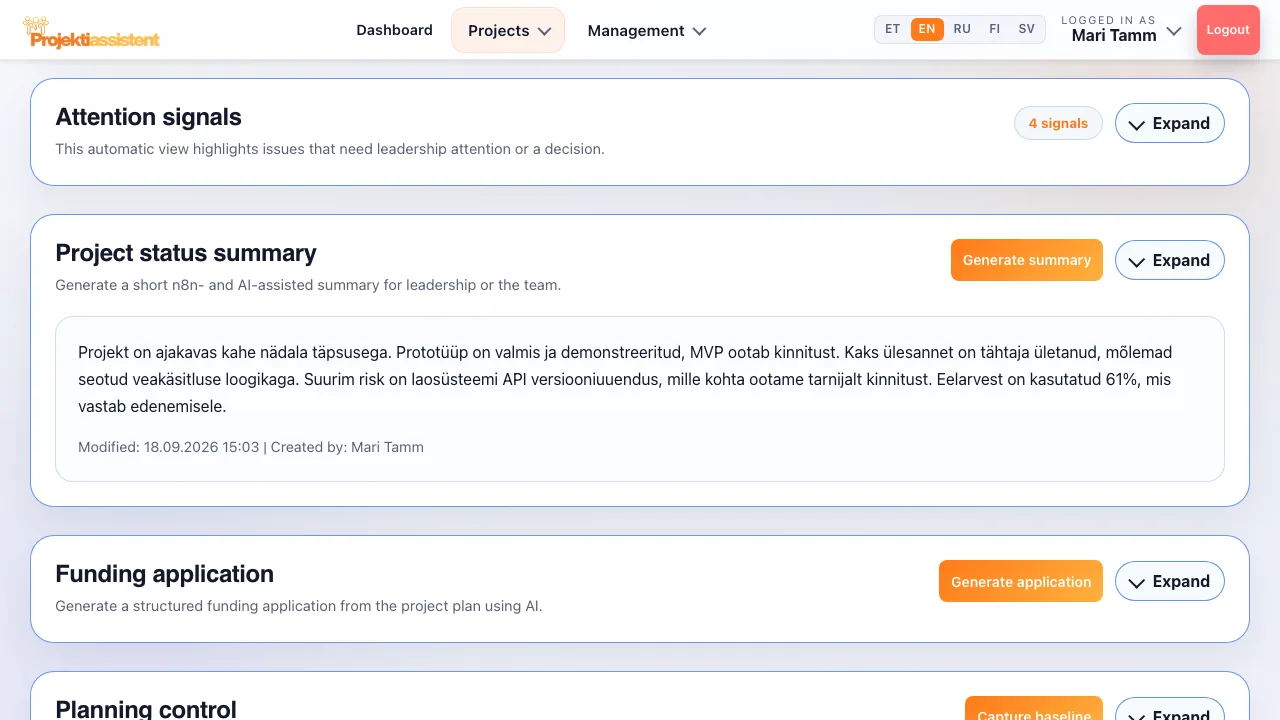
Writing the report is not project management — it is a by-product of it that eats hours. In Projektiassistent the data already exists: the "Project status summary" block drafts a short summary of the project's current status at the press of a button, and you can export the project document as PDF or DOCX.
A report based on real data
Most status reports are written from memory and come out more optimistic than reality. Here the content comes from the same project you are running.
AI status summary
Press "Generate summary" — a moment later there is a short summary of the project's current status with who created it and when, ready to send to leadership or the team. On every plan.
PDF and DOCX
The project document as PDF or DOCX — ready to print, send to the board or submit to a funder. The DOCX file can be edited further in Word.
Five design templates
Aurora, Ember, Emerald, Graphite and Nordic. Pick a template and check the preview before downloading.
Reading view and printing
The reading view shows the project's basic details and generated content; "Print (PDF)" prints it or saves it as a PDF through the browser.
What management actually wants to know
A good status report answers three questions: are we on schedule, what is at risk, and what do you need from me. The project page already holds those answers.
- Attention signals
Overdue tasks, high risks and blockers are highlighted automatically — not buried at the end of a table.
- Budget position at a glance
The budget block shows Total budget, Reserved, Used and Available balance — the numbers for the report are already there.
- Management view (Business)
On the Business plan the AI project manager summary combines project health, the critical path and simulations, and the portfolio view shows every project at once.
The same project, different readers
A board wants decisions, a funder wants evidence, the team wants next steps. The short summary gives a quick overview; the exported project document gives the full picture.
Frequently asked questions
What is a project status report?
A status report is a short view of where the project stands against the plan: what is done, what is behind, how much of the budget is used and which risks are materialising. A good one fits on a page and ends with the decision needed from management.
How good is an AI-drafted summary?
It is a draft, not a finished product. The AI turns the project's current status into readable text, but you add the context and the emphasis. In practice it saves most of the time otherwise spent staring at a blank page.
Is the report suitable for submitting to a funder?
The PDF/DOCX export of the project document and the budget's cost lines give you a good basis, but the specific form a programme requires still needs checking. On the Standard and Business plans the AI also drafts a funding application from the project plan.
How often can a summary be produced?
As often as you need — it is based on current data. Each generation uses one AI query from your plan's allowance (20 in total on the trial, 100 a month on Standard, 500 a month on Business).
Can I edit the document content?
Yes. The exported document is based on the project plan, whose text you can edit in the editor before exporting; the DOCX file can also be edited in Word. You choose the design template before exporting and the preview shows the result.
How do I do this in the app?
Step-by-step instructions with the button and field names are in the user guide.
What Projektiassistent does for you
Project plan generator
Describe the project in your own words — the AI drafts a structured plan.
→🛑Decision readiness
Decision log, baseline and milestone approvals — who, what and when.
→🧩Tasks and work breakdown
Break the project down: tasks, subtasks, owners and effort.
→📊Gantt chart
Schedule, dependencies and critical path — built from your plan.
→🔀Kanban board
Task flow in columns — the same tasks as in the plan.
→🧭Methodologies
Waterfall, Scrum, Kanban, Hybrid, PRINCE2 or Simple project.
→👥Resource planning
Who is overloaded and who is free — before a deadline slips.
→⚠️Risk analysis
Risk register: impact × probability, risk score and mitigation plan.
→💶Project budget
Cost lines, VAT and free balance in real time — ready for reporting.
→🗂️Project portfolio
Every project on one screen — an aerial view, not a magnifying glass.
→🤝Team collaboration
Share the project by invitation — Viewer, Editor or Admin.
→🧠AI project manager
Plan, tasks and summary — recommendations, what-if and notes on Business.
→🔌Integrations
API tokens, webhooks, Slack, Teams and a calendar feed (Business).
→🔒Security and GDPR
Access control, encrypted transport and GDPR rights.
→Produce your first status summary
14-day free trial — no credit card required.
Start for free →