
Team workload on one screen
Projects rarely slip because nobody knows what to do. They slip because the one person carrying three tasks cannot get through them. Resource planning on the Business plan shows who is overloaded and who is free — before the deadline moves.
Load, not a calendar
A calendar shows what is planned. The workload view shows whether it is possible at all — how many planned hours a person has in open tasks against their weekly capacity.
Team workload
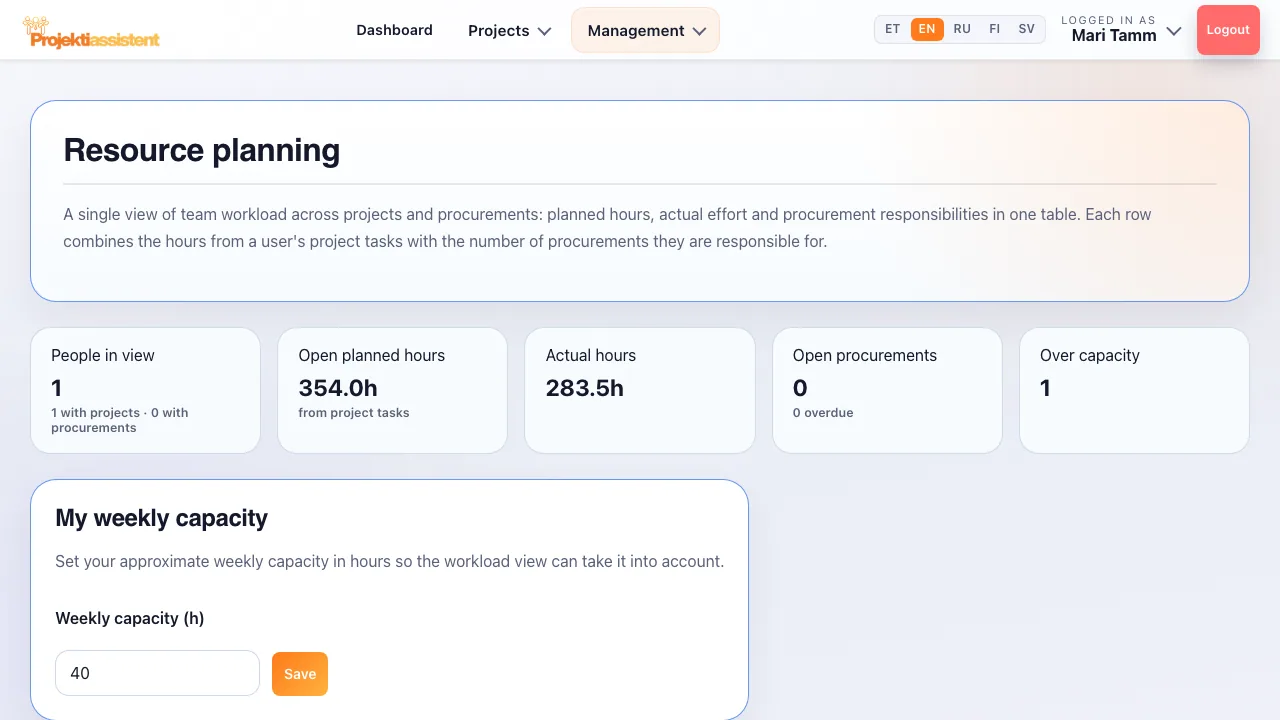
For each person: projects, open tasks, planned and actual hours, and utilisation in per cent.
Weekly capacity
Every team member enters their own weekly capacity in hours — a part-timer's smaller capacity is reflected in the utilisation figure.
Over capacity
A summary at the top: people in view, open planned hours, actual hours and how many people are over capacity.
Before assigning new work
Check the load before naming an owner for a new task — so the whole critical path does not land on one person.
Load comes from the tasks, not a separate sheet
The resource view reads the owners and the planned and actual hours of the projects' tasks. You do not maintain load separately — it updates when the work changes.
- Estimate next to actual
Planned hours beside what was actually spent show whether the estimates are realistic at all.
- Changes carry through
Reassign a task or change its planned effort and the load picture changes with it.
- AI recommendations
The Business plan's AI recommendations also point out signs of overload, missing activities and risk areas on the project.
A realistic plan accounts for people
A hundred per cent utilisation is not the goal. Slack is what lets a project absorb surprises without the whole schedule collapsing.
Frequently asked questions
What is resource planning in a project?
Resource planning is allocating people's time across activities so that nobody ends up on the critical path of three projects at once. In practice it is a workload view: who is overloaded, who has capacity and who can take on new work.
How does the system know how loaded someone is?
Load is calculated from the planned hours of a person's open tasks against their weekly capacity. That is why it pays to fill in the owner and planned effort on every task.
Do I have to configure capacity for each person?
Every team member enters their own weekly capacity in the "My weekly capacity" section. If someone's capacity changes, for example because of part-time work, they update that number.
Does the resource view cover several projects at once?
Yes — the team workload view shows each person's projects and open tasks across projects. Looking at one project in isolation would hide exactly the problem that overloads people.
Which plan includes resource planning?
Resource planning is on the Business plan (Management menu), together with the portfolio view and audit and compliance. Planned and actual effort can be entered on tasks on every plan.
How do I do this in the app?
Step-by-step instructions with the button and field names are in the user guide.
What Projektiassistent does for you
Project plan generator
Describe the project in your own words — the AI drafts a structured plan.
→🛑Decision readiness
Decision log, baseline and milestone approvals — who, what and when.
→🧩Tasks and work breakdown
Break the project down: tasks, subtasks, owners and effort.
→📊Gantt chart
Schedule, dependencies and critical path — built from your plan.
→🔀Kanban board
Task flow in columns — the same tasks as in the plan.
→🧭Methodologies
Waterfall, Scrum, Kanban, Hybrid, PRINCE2 or Simple project.
→⚠️Risk analysis
Risk register: impact × probability, risk score and mitigation plan.
→💶Project budget
Cost lines, VAT and free balance in real time — ready for reporting.
→📊Reporting
A status summary for management in seconds, the document as PDF/DOCX.
→🗂️Project portfolio
Every project on one screen — an aerial view, not a magnifying glass.
→🤝Team collaboration
Share the project by invitation — Viewer, Editor or Admin.
→🧠AI project manager
Plan, tasks and summary — recommendations, what-if and notes on Business.
→🔌Integrations
API tokens, webhooks, Slack, Teams and a calendar feed (Business).
→🔒Security and GDPR
Access control, encrypted transport and GDPR rights.
→See your team's real workload
14-day free trial — no credit card required.
Start for free →