Project Assistant – One Platform for the Entire Project
Project Assistant integrates AI-powered planning, task management, collaboration, and reporting into a single environment. From idea to completion—without juggling between tools.
The platform covers the entire project lifecycle:
- Planning – AI generates a structured project plan in minutes.
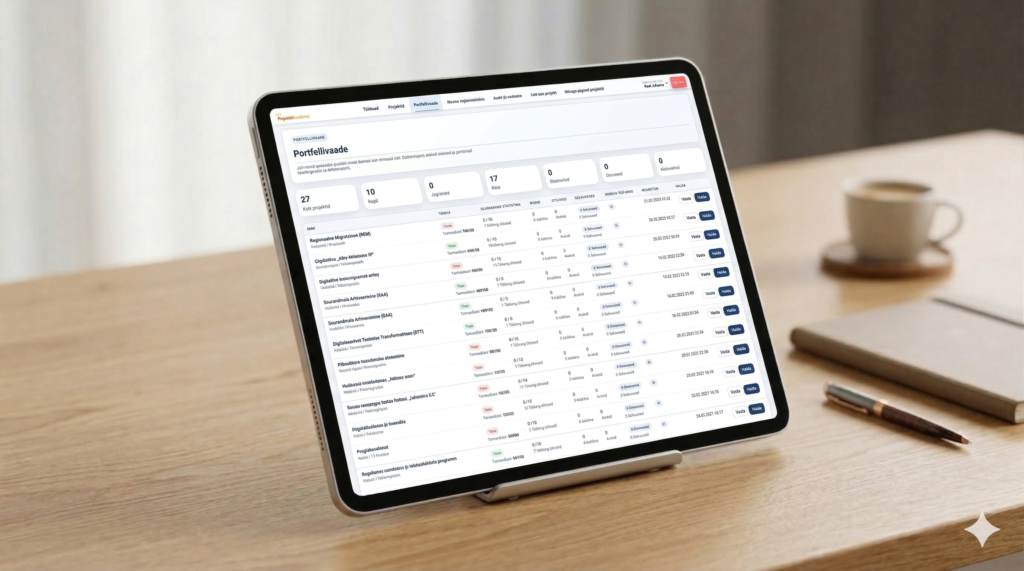
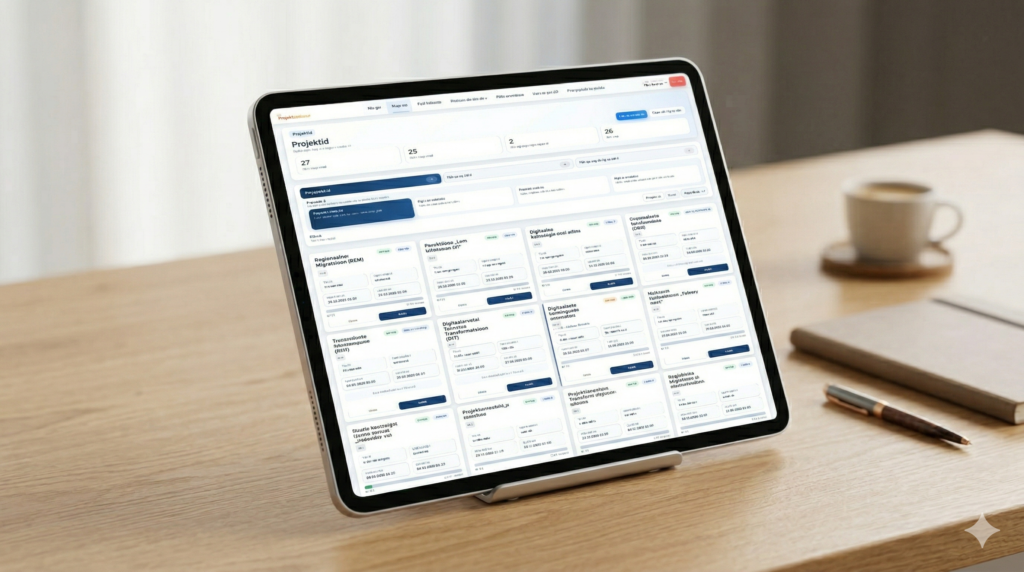
- Management – Gantt, Kanban, tasks, resources, and risks in one place.
- Collaboration – the team works in the same environment, so no information is lost.
- Reporting – status updates, audit logs, and exports for management.
AI generates the plan – you guide, the system builds
Project Assistant does more than just write text. Based on your input, it builds a structured project plan that is ready for immediate use—edit it, share it with your team, and start managing.
Enter your project goal, budget, and timeframe. The AI automatically creates:
- Role Allocation – who does what and when.
- Initial Risk Analysis – flagging issues before they materialize.
- Project Description – clear, structured, and ready to present.
- Action Plan & Stages – organized in a logical sequence, not just a random list.
A good plan is airtight, not just attractive
Choosing a methodology won’t save a project that is fundamentally flawed. Most projects fail not because of the wrong tool, but because the plan doesn’t align with reality.
Project Assistant helps you think through the project’s core before the first euro is spent:
- Objectives – Does the project solve the right problem, and is the goal measurable?
- Activities – Are all necessary steps mapped out in a logical sequence?
- Assumptions – What must hold true for the project to succeed?
- Risks – What could go wrong, and how can you prepare for it?
The result is a project plan that won’t collapse at the first unexpected change.
Work the way that suits you best
Every team is different. Project Assistant adapts to your workflow—not the other way around.
The platform supports the most popular project management methodologies:
- Scrum – sprints, backlogs, and iterative development.
- Kanban – a visual task flow organized by status.
- Waterfall – classic sequential planning with clear phases.
- PRINCE2 – structured management with defined roles and documentation.
The methodology shapes how you manage—the AI-generated content, tasks, and plan always remain clear.
A project plan that understands your industry
IT and construction projects don’t follow the same blueprint. Project Assistant tailors the logic, phases, and risks to what you are actually working on.
- IT Development – sprints, technical dependencies, integrations, and testing phases.
- Construction Projects – permits, subcontractors, staged handovers, and safety risks.
- R&D & Innovation Projects – funding conditions, interim reporting, and performance indicators.
The result is a plan where industry-specific steps and requirements are built-in from the start—nothing comes as a surprise later.
Milestones – clear checkpoints from start to finish
A long project without milestones is like a journey without road signs—no one knows if they’re heading the right way.
Project Assistant helps you define critical checkpoints and track their achievement:
- Timeline Milestones – clearly visible on Gantt charts and calendars.
- Progress Tracking – see at a glance if a checkpoint is achieved, approaching, or delayed.
- Automated Notifications – the team is notified when a major phase is reached.
The result is a team with a clear sense of direction—and management that gets a high-level overview without digging into the details.
Recurring Projects – Set up once, use forever
Monthly reports, quarterly reviews, annual audits—if a project recurs regularly, starting from scratch every time is a pure waste of time.
Set your project to recurring, and the system creates a new cycle automatically:
- Identical Structure – phases, tasks, and roles are copied into the new cycle.
- Updated Deadlines – the schedule shifts automatically based on your recurrence settings.
- Fresh State – each cycle starts clean, unburdened by the previous cycle’s progress.
The result is a routine that runs itself—saving you from doing the same work over and over again.
AI doesn’t just create the plan—it evaluates it
Most tools just generate text and leave you to decide if the plan is any good. Project Assistant goes a step further—it analyzes the plan and proactively highlights areas that need attention.
The AI checks, for example:
- Schedule Realism – Are the deadlines feasible given the scope of work?
- Resource Availability – Are the necessary people and tools accounted for in the plan?
- Task Logic – Do all the steps actually support the project’s goal?
- Conflicts & Risks – Are there gaps in the plan that could turn into problems later?
The result is a project plan that is thought through before the first meeting—not after the first crisis.
Is your project ready for the green light?
Before a project reaches management, a client, or a funder, there is one critical question: is the plan actually ready—or does it just look ready?
Project Assistant checks this for you automatically:
- Objectives – Are they clear enough to drive informed decision-making?
- Resources & Ownership – Does every task have an owner and the necessary tools?
- Activities & Dependencies – Is the plan logically sequenced and thoroughly thought out?
The result is a clear signal: what is ready and what needs more work. This ensures that decision-makers receive a complete plan, not an incomplete draft.
Risks you might not see yourself
Experienced project managers know that risks don’t just appear at the end—they are hidden in the plan from the very start. The problem is they are hard to spot when you are too deep inside the project yourself.
Project Assistant looks at your plan with fresh eyes:
- Highlights conflicting activities that don’t align.
- Spots schedule and budget conflicts before they materialize.
- Identifies unspoken assumptions that were left out of the plan.
- Flags dependencies that could turn a single delay into a snowball effect.
Risks can’t be entirely eliminated—but you can prepare for them. Project Assistant ensures you don’t trip over a hole that was visible as early as the planning stage.
Is this project actually feasible?
A great idea doesn’t always translate into a feasible project. Project Assistant analyzes the numbers and logic of your plan to provide a clear assessment of whether it’s realistic—before any resources are spent.
The AI evaluates three critical dimensions:
- Timeline – Are the deadlines achievable, considering the scope of work and dependencies?
- Budget – Do the planned costs cover the actual requirements?
- Resources – Are the people and tools available in the volume the plan assumes?
If the answer to any of these is “no” or “unclear,” the system flags it immediately—not when the project has already launched and there’s no turning back.
The result: a plan ready for immediate use
Project Assistant won’t let you hit “finish” until the plan is actually complete. If something is missing, conflicting, or unclear, the system guides you to fix it—before the plan ever reaches decision-makers.
The final result is a document that:
- Answers questions before they are even asked.
- Is logically structured and easy to read.
- Is ready to present to management, clients, or funders.
Not just a “good enough” plan—but a plan you can truly stand behind.
Status reports in minutes—not hours
Creating a status report usually takes hours—collecting data, writing summaries, and formatting. Project Assistant does it in seconds.
The AI analyzes your project data and automatically generates:
- Progress Summary – what’s finished, what’s in progress, and what’s delayed.
- Risk Overview – what needs immediate attention.
- Next Steps – specific actions, not just general suggestions.
The result: a professional report ready to be sent to management instantly.
AI Chat – Ask about your project like you’re talking to a colleague
You have a question about the project, but finding the answer would mean digging through dozens of tasks and reports. Project Assistant’s AI Chat solves that.
Ask in plain English – the AI provides context-aware answers based on your project data:
- “Which tasks are currently overdue?”
- “Who is most overloaded right now?”
- “What is the biggest project risk this week?”
The answers are instant, accurate, and built on your specific project data.
Meeting Notes Processing – From notes to tasks in one click
Every meeting ends with promises and agreements. The problem is they often stay trapped in the notes and vanish—no one reviews them, no owner is assigned, and no deadline is set.
Upload your meeting notes, and the AI automatically extracts:
- Action Items – who needs to do what and by when.
- Decisions – what was decided and why.
- Risks – what issues were identified and what needs monitoring.
The result: trackable tasks instantly linked to the project—not forgotten promises in someone’s notebook.
What-If Scenarios – Decisions based on data, not gut feeling
What happens if the deadline shifts by a month? If a key person leaves? If the budget is cut by 20%?
Usually, these questions are answered with guesswork. Project Assistant allows you to model these scenarios and compare them side-by-side—before a decision is made:
- Impact of Timeline Shifts – How does delaying one task affect the final project deadline?
- Impact of Resource Changes – What happens if you have fewer people or a team member is replaced?
- Budget Scenarios – Where can you save costs without sacrificing critical activities?
The result: a decision backed by data—not just the hope that everything will somehow work out.
Funding, Procurement, and Regulation – Avoid unexpected hurdles
Grant projects, public procurements, and regulated industries play by their own rules. One missing document, an imprecise budget, or an overlooked requirement can lead to rejection—or worse, the clawback of already spent funds.
Project Assistant helps you identify these risks before submission, not after:
- Missing Documentation – The system notices if required annexes or evidence are missing from the plan.
- Budget Accuracy – Discrepancies between funding conditions and planned costs are highlighted immediately.
- Regulatory Risks – Permits, approvals, and deadlines that impact project delivery.
The result is an application or project plan that is substantively robust—not just formally correct.
Funding requirements built-in – from day one
Too many funded projects are written twice: once for “real life” and again to meet the funder’s criteria. Project Assistant merges these steps—incorporating the funding logic into your plan from the very first line.
The AI links funding requirements directly to your project:
- Activities – Are all eligible activities accounted for in the plan?
- Timeline – Are interim reporting deadlines and payment milestones realistically scheduled?
- Budget – Are costs categorized exactly as the funder expects?
The result: a project plan that doesn’t need rewriting before submission—it’s funding-ready from the start.
Procurement Ready – Beyond formal compliance
In public procurement, there is no room for error. A flawed project structure or missing data can lead to disqualification.
Project Assistant reviews your procurement project in advance:
- Schedule Alignment – Ensures tender-specific phases are integrated into the master roadmap.
- Document Mapping – Tracks mandatory certificates and annexes with clear accountability.
- Substantive Accuracy – Verifies that the project logic aligns with the specific terms of the tender.
The result: A robust submission that eliminates the need for high-pressure revisions as the deadline approaches.
Permits and Approvals – Built-in, not a later surprise
Building permits, environmental approvals, data protection requirements—regulatory mandates don’t care if you have time for them. If they are overlooked during planning, they can stall your entire project later.
Project Assistant maps out the necessary permits and approvals during the planning phase:
- Identifies sector-specific regulatory requirements based on your project description.
- Automatically adds required activities and deadlines to your schedule.
- Warns you if a mission-critical permit has been left out of the plan.
This ensures that no missing signature stops a project that is otherwise ready to launch.
Is your project eligible for funding—before you submit?
A rejected application doesn’t always mean a bad project. Often, it simply means the project didn’t align with the funder’s rules—even if the content was great. This is a preventable mistake.
Project Assistant analyzes your plan from a funding perspective:
- Objective Alignment – Does the project solve the specific problems the funding measure supports?
- Budget Structure – Are costs justified and consistent with funding regulations?
- Eligibility of Activities – Do all planned tasks fall under the scope of the grant?
The result: Confidence that you are submitting a substantively eligible project—not just a hope that evaluators won’t notice the gaps.
Audit Log – Every change, every actor, every timestamp
Whether it’s an external audit, internal control, or just the question “who changed this?”—the answers are always there.
Project Assistant automatically records every change made to the project:
- Who and When – Exactly who made the change and at what time.
- What Changed – A clear comparison of the previous and new values.
- Full History – Tamper-proof and permanent.
The result is total transparency, invaluable for both internal oversight and external audits.
Decision Log – Answers to questions asked a month later
Dozens of decisions are made during a project. A month later, no one remembers why something was decided—and the arguments begin.
Project Assistant’s Decision Log records everything:
- Decision Content – Exactly what was decided.
- Owner – Who is responsible for the choice.
- Date and Rationale – When and why the decision was made.
The “But we agreed on…” arguments disappear because the answers are always there.
Centralized Risk Register – Risks are no longer hidden in someone’s email
Every project carries risks—the only question is whether they are documented or scattered across various spreadsheets and emails.
Project Assistant’s Risk Register centralizes everything in one place:
- Probability and Impact – Every risk is assessed and prioritized.
- Mitigation Plan – What to do if the risk materializes.
- Owner – Who is monitoring and responding.
The result: risks that are visible, managed, and not buried in someone’s inbox.
Everyone knows what to do. All the time.
A project’s biggest time sink isn’t usually the work itself—it’s explaining who does what, where information is, and what comes next. Project Assistant solves this through structure from day one.
The platform clearly defines:
- Roles and Owners – Every task is linked to the specific person it belongs to.
- Activities and Dependencies – The team sees how their work connects to everyone else’s.
- Accountability – Who decides, who executes, who verifies—clear at every level.
The result: a team where everyone knows their role, and a manager who doesn’t have to manually coordinate every move.
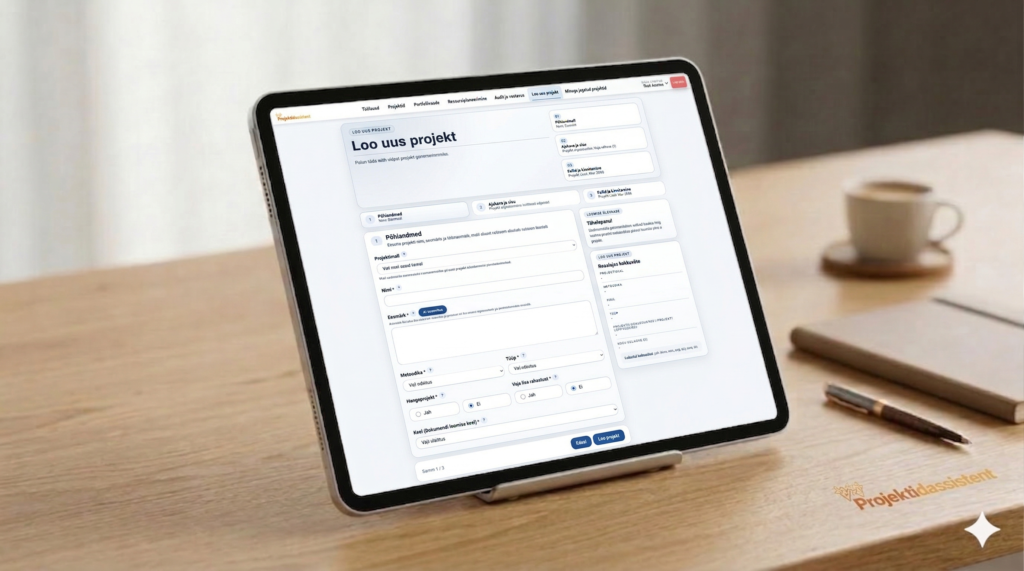
From idea to actionable tasks—automatically
A project plan is useless if the team doesn’t know what to do tomorrow. Project Assistant automatically transforms your project description into work tasks that can be assigned immediately.
The AI structures the project logically:
- Project Phases – A clear roadmap showing how the project moves from start to finish.
- Tasks and Subtasks – Breaking down large workloads into manageable pieces.
- Owners and Roles – Linking every task to a specific person and a firm deadline.
The result isn’t just a plan on paper—it’s a team that knows exactly what to do, when to do it, and why it matters.
Who is responsible? Always clear.
As a project grows, responsibility tends to blur—tasks slip through the cracks, decisions hang in the air, and no one knows who has the final word. Project Assistant keeps lines of accountability clear, even as the project gains complexity.
The system allows you to:
- Assign an owner to every task – no one can say, “I didn’t know this was my job.”
- Manage access rights – define who views, who edits, and who approves.
- Track every change – see who changed what and when; a full history is preserved.
The result: a project where accountability is clear at every level—no matter how much the team grows or the project evolves.
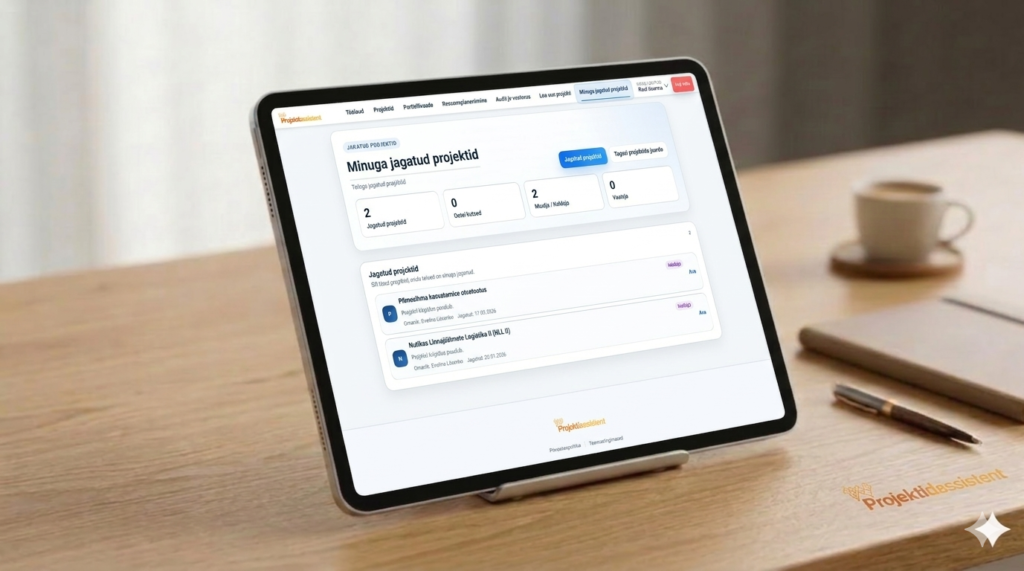
Your entire project in one place—not scattered across emails and files
When project info lives in Excel, emails, Teams, and someone’s local folders, something inevitably gets lost. Project Assistant centralizes everything into one environment—so the whole team is always working from the same information.
In one workspace, you can:
- Share projects with the team – everyone sees exactly what they need to see.
- Discuss directly within tasks – comments stay in context, not in separate email threads.
- Make real-time updates – everyone sees changes instantly, not at the next meeting.
- Track full project history – who decided what and when; everything is recorded.
The result: a team where info doesn’t vanish and decisions aren’t forgotten—because everything is in one place, always accessible.
Reports ready—in a single click
Your project plan is done—now it’s time to present it. Project Assistant generates professional reports directly from your platform data, so you don’t have to copy-paste a thing.
Exports tailored for every context:
- PDF Reports – Presentation-ready for management, clients, or funders.
- HTML Format – For web sharing or integrating into internal systems.
- Multilingual Output – Your project plan in Estonian, English, or Russian, depending on the recipient.
The result is a professional document that looks like it took hours to prepare—even though it only took minutes.
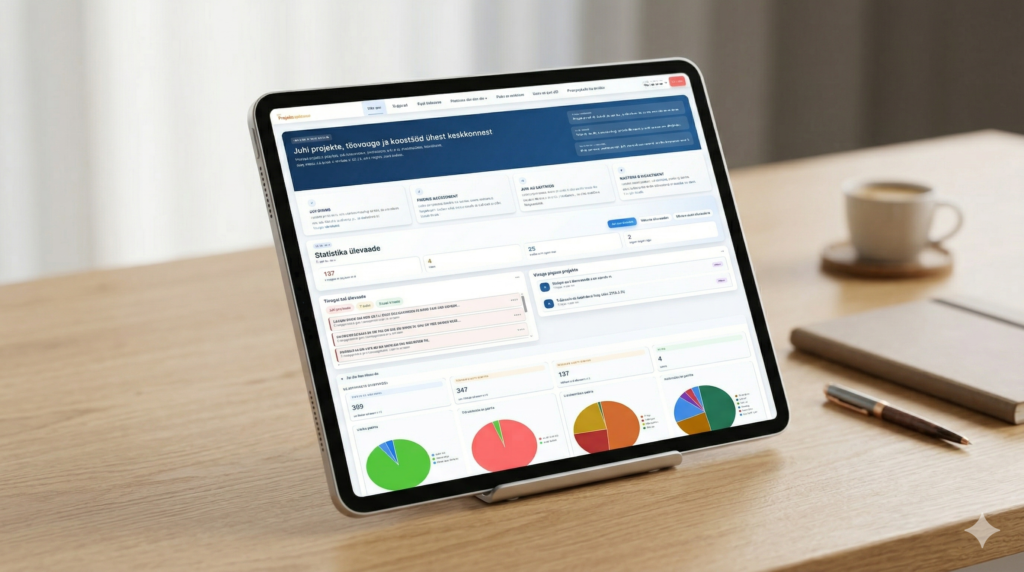
Discover Project Assistant for free
Create an account and see for yourself how AI makes project planning faster and clearer. Enjoy a 14-day free trial with full access to all Pro features.
In just a few minutes, you’ll get:
- An AI-generated project plan based on your idea.
- Structured tasks, a timeline, and a risk analysis.
- Tools to manage your entire project in one place.